
The design studio for teams that build with AI
Design your app with its real components. Check that the code follows.
Build screens from your app's own components, draw the back end in bricks, slice the work into tickets — and every pull request is checked against the design. You review the design, not the code.
14-day trial, no credit card. Each request is approved by hand; places are limited.
From the mock-up to the pull request
- 01Build the screensWith your app's components, rendered in the browser. An approved screen becomes JSX as it is.
- 02Review it like a PREvery change opens a draft: before and after side by side, comments, approvals.
- 03The back end in bricksAWS serverless, NestJS, Next.js or Supabase: bricks, arrows, operations, events.
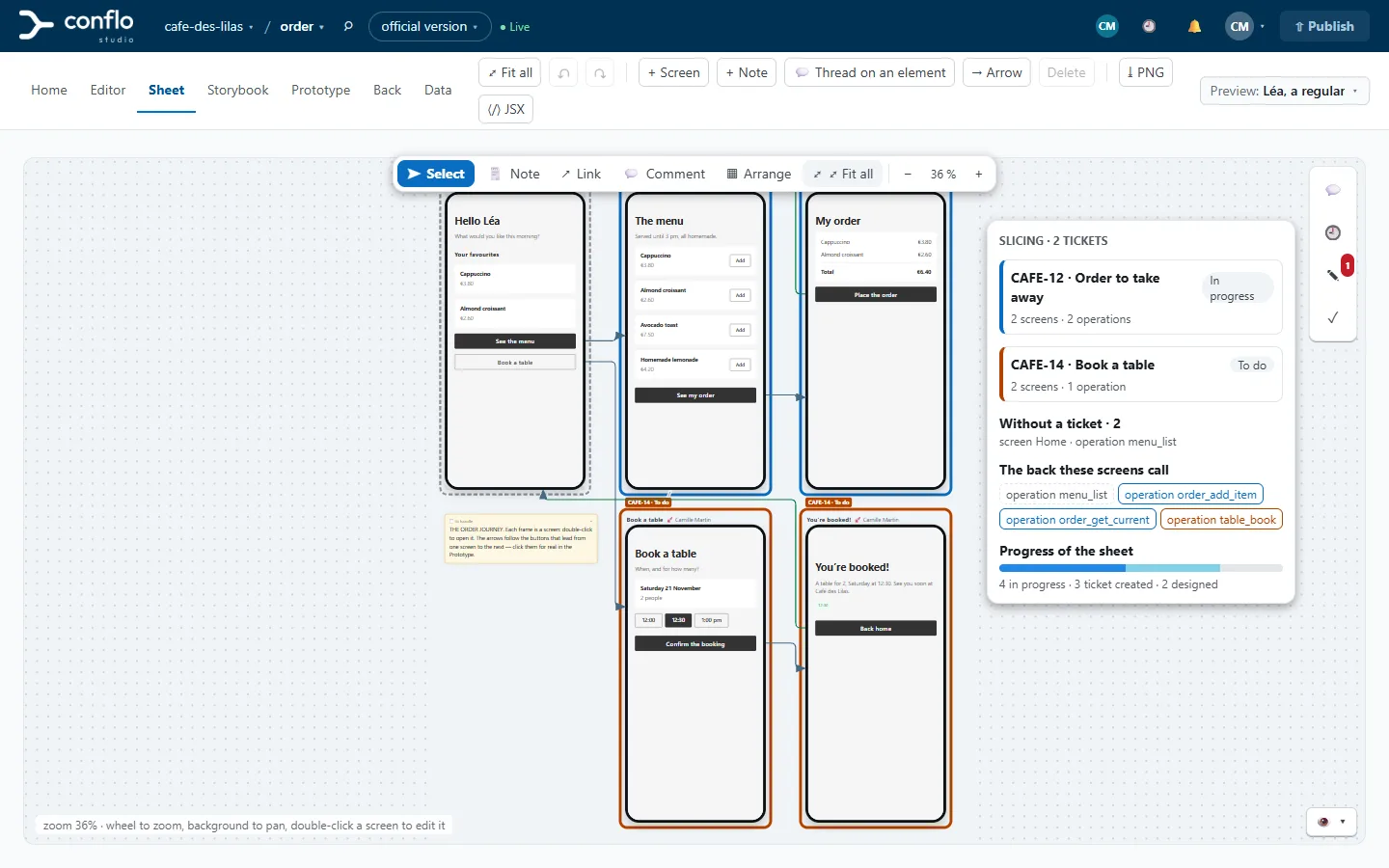
- 04Slice into ticketsA Jira or GitHub ticket covers a slice of screens and operations; the studio writes its description.
- 05Check the code
conflo checkholds every pull request against the design: API, infrastructure, events, screens. - 06Driven by an AIYour agent connects over MCP: it reads, edits in a draft, answers comments. It does not publish.
Screens
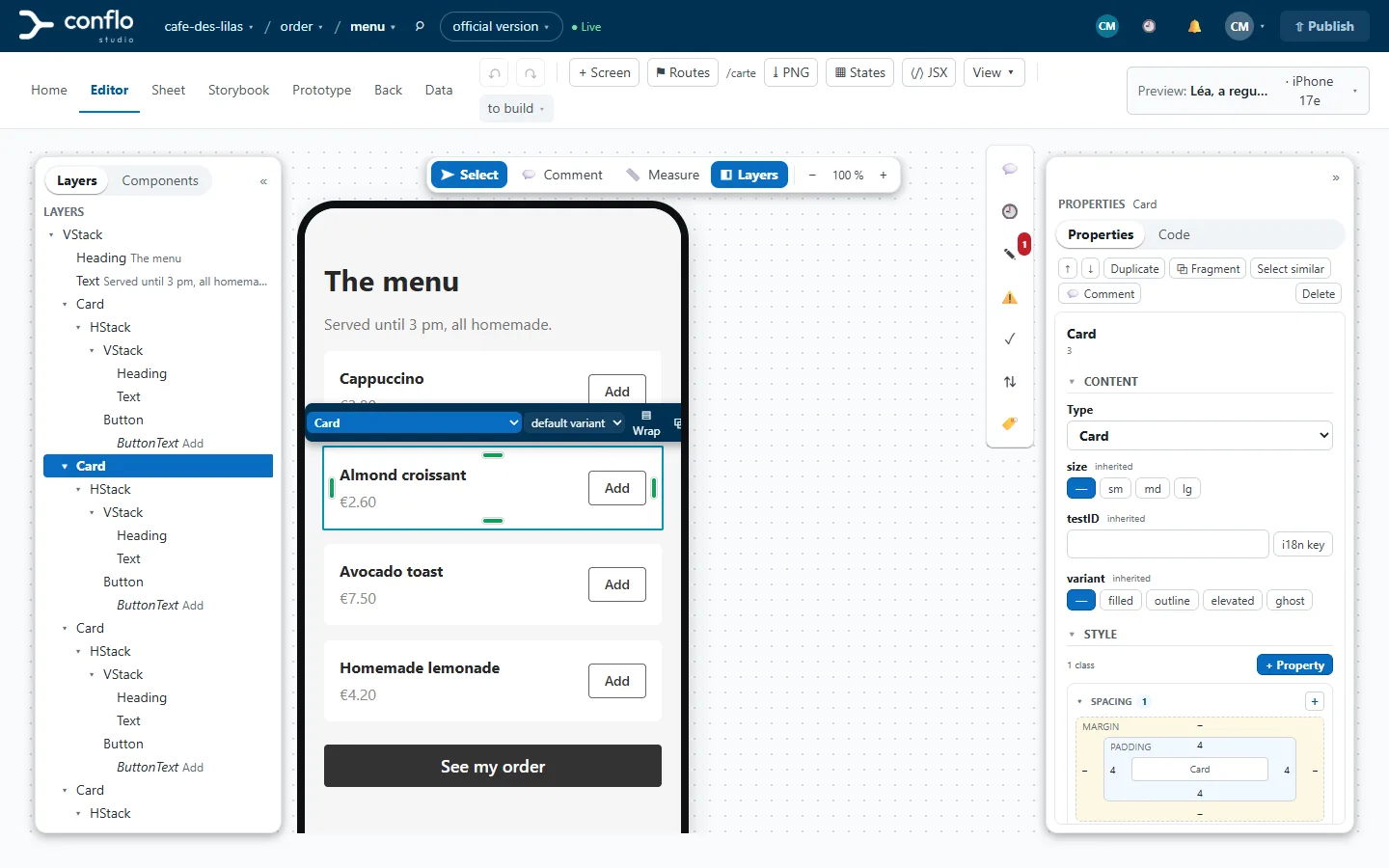
Your app's screens, made of its real components
The studio renders the components of your repository — built into a kit by conflo kit build — or, to start with, those of gluestack-ui. You do not draw: you put together stacks, cards and buttons, and what you put together is what the developer will write.
- A clickable prototype, fed by data scenarios.
- Live co-editing: you see who is there and what each person selects.
- Measurements with the Alt key, spacing handles, a Code tab with the element's JSX.
- Sheets to lay the screens of a journey side by side, with notes and arrows.
- A phone frame or a browser window, depending on the kind of app.
Review
Review a draft like a pull request
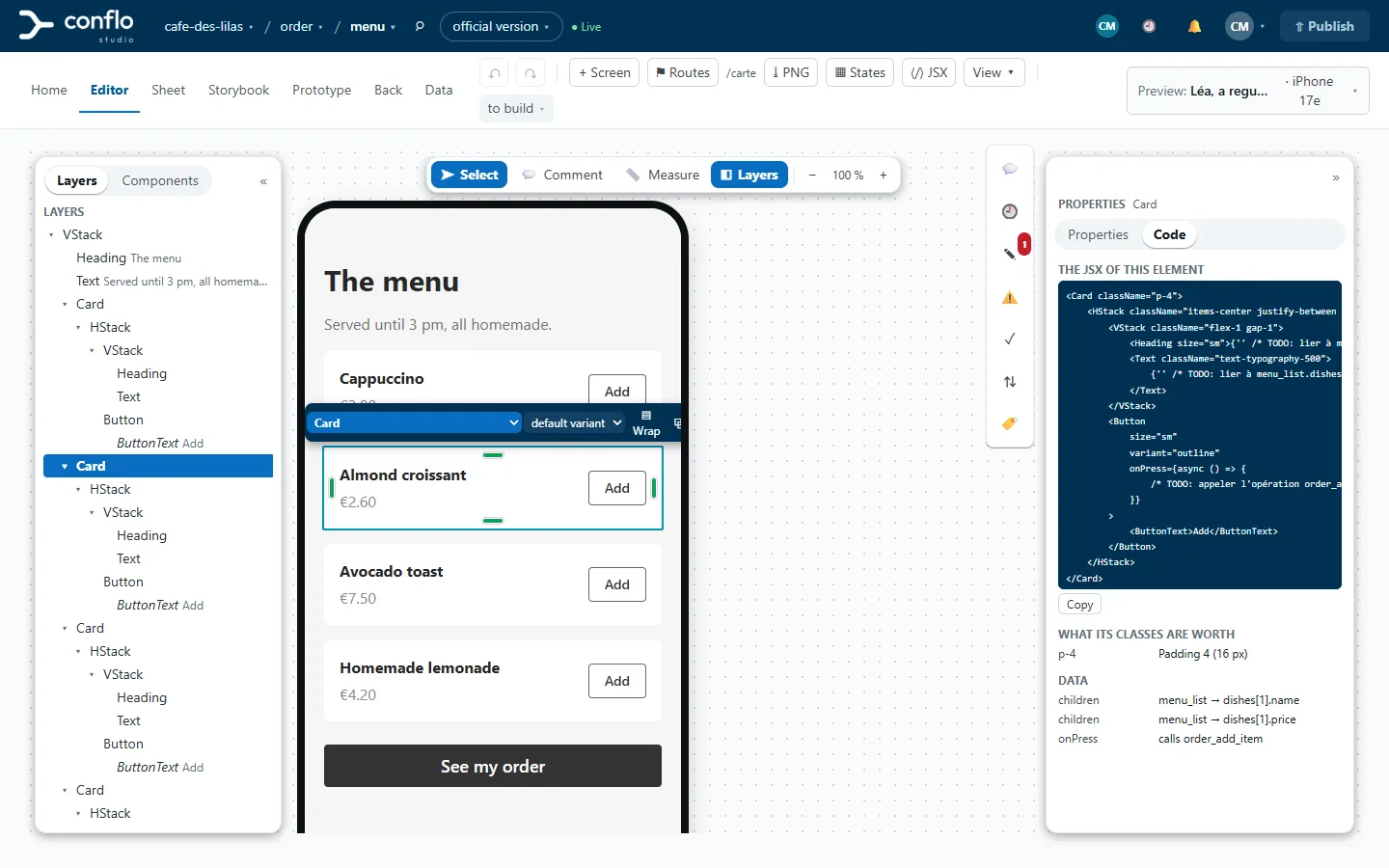
The official version of a screen only changes on “Publish”. Every change goes into a draft that several people can edit, review and comment on.
- A review page: every change, before and after side by side, element by element.
- Comments pinned to the element, mentions, an inbox.
- Approve or request changes, with an approval rule per organization or per project.
Back end
Design the back end in bricks
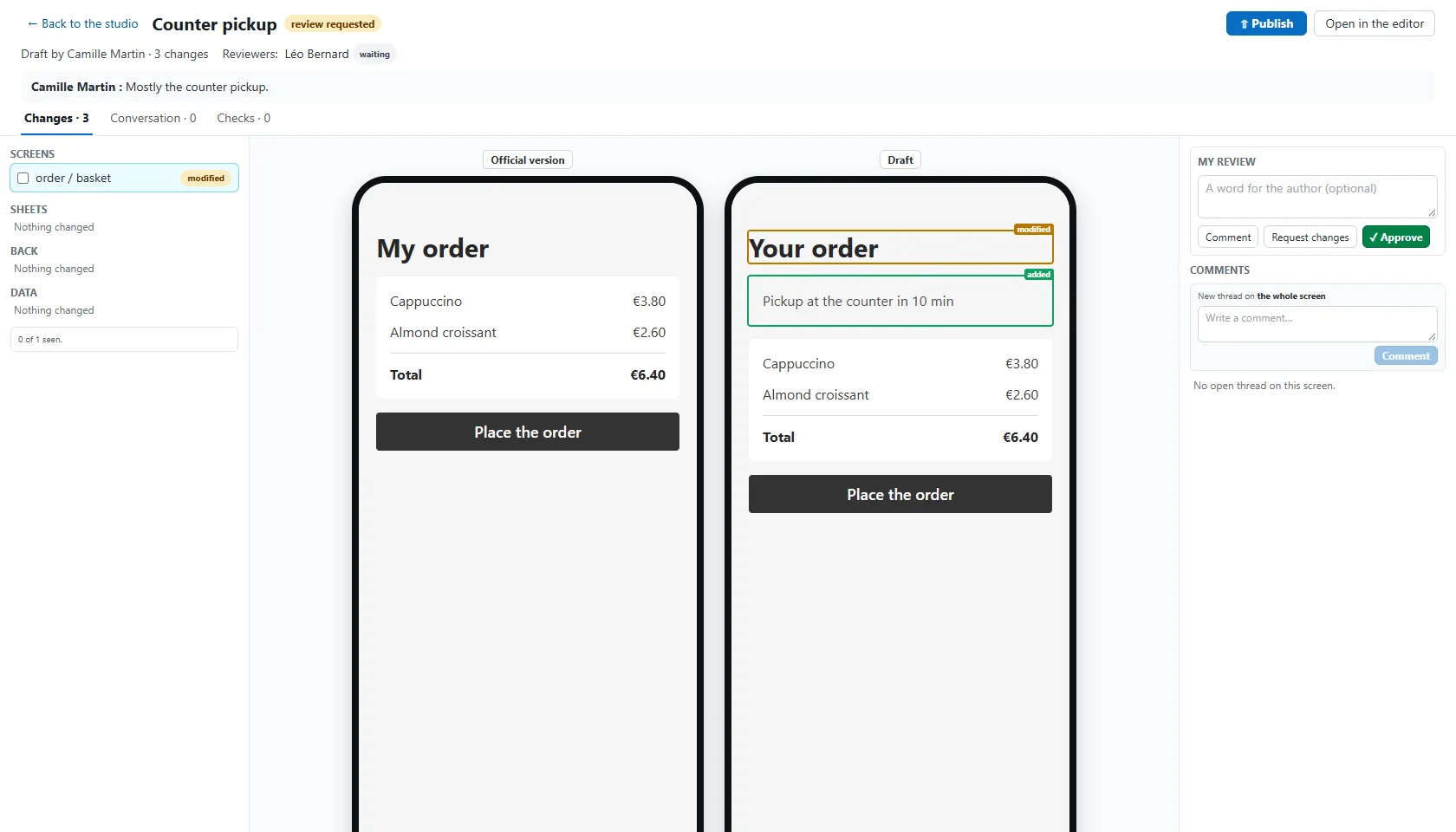
An architecture canvas for four families: AWS serverless, NestJS + PostgreSQL, Next.js + PostgreSQL and Supabase. Each brick has a type, each arrow a verb: calls, reads, writes, publishes, triggers, authorizes.
- Operation, Entity and Event sheets: inputs, response, errors, examples, rules.
- Permissions derived from the arrows, an operation's journey as a sequence diagram.
- What comes out: a NestJS project, a Next.js app, a CDK skeleton in TypeScript, the OpenAPI, the SQL to create and migrate.
- Today's back end can be imported: Supabase types and SQL, a CloudFormation template.
Tickets
Slice into tickets, follow the progress
Pick screens and bricks: the studio creates the ticket in Jira or GitHub Issues and writes its description — the image or link of each screen, the spec of each operation, the acceptance criterion.
- The Tickets layer colours the sheet: who builds what, what has no ticket yet.
- When the design moves afterwards, the ticket says so and can be updated.
- Designed, ticket created, in progress, coded: “coded” only once the code check passes.
Check
Check that the code follows the design
The conflo check command runs in the app's repository, on every pull request. It asks the studio what the design says and holds the code against it.
- API: responses against the contract, the published OpenAPI, the NestJS and Next.js routes.
- Infrastructure: the CloudFormation template against the diagram; SQL migrations and access rules against the entities and permissions.
- Events: what the code publishes against the contract of each event.
- Screens: their structure, and their image compared with the design.
- The verdict lands on the GitHub pull request. Each gap is fixed in the code, in the design, or accepted with a reason.
npx conflo check --api http://localhost:3000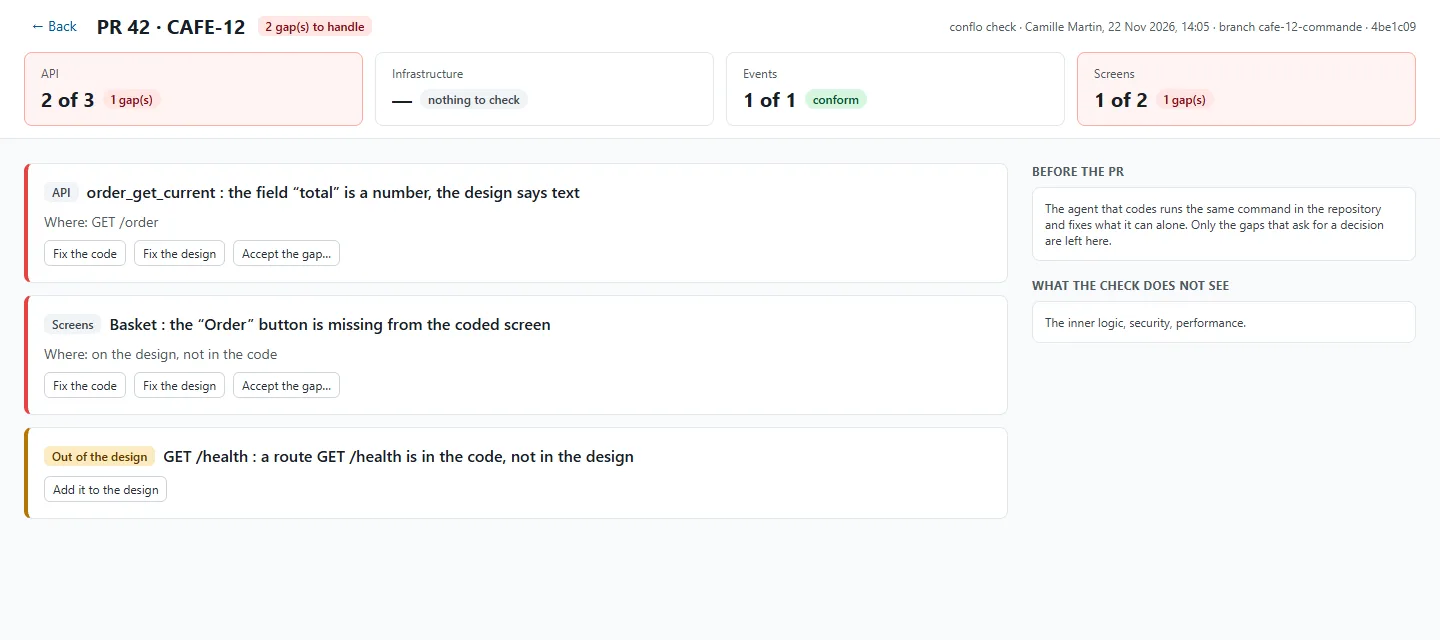
AI
An AI can do everything but publish
The studio is an MCP server. Your agent — Claude Code or another MCP client — connects with a token and works like a member of the team.
- It reads a screen with the id of each element and edits it element by element, always in a draft.
- It sees what it draws: the screen rendered as an image.
- It handles comment threads, asks for a review, reviews the drafts of others.
- It designs the back end brick by brick and proposes a slicing into tickets.
- Publishing stays a human decision: no tool allows it. Your organization can forbid agents.
claude mcp add --transport http conflo https://app.conflostudio.com/api/mcp \
  --header "Authorization: Bearer <your token>"
One offer with everything
Screens, back end, reviews, tickets and code checks, paid per editor. Reviewers and guests are free. Prices coming soon; 14-day trial on request.
Your content stays yours
- The service runs on a server in Europe; backups leave encrypted for a storage in France.
- Screens, back end, scenarios and comments are encrypted with a key of your organization’s own.
- Your content trains no model. Nobody reads it without a support access you open.
- Full export at any time; a deletion takes effect after 30 days.